Authentication is our job,
not yours.
Authentication decides whether your email arrives, and it's the part every tool hands back to you as a documentation page. We run it as a service: we keep the records current, key rotation and DMARC step-ups are one click, warm-up is ours, and your DNS is touched exactly once.
Check any domain, right now.
No account. SPF, DKIM, DMARC and MX here, with the full report (blocklists too) one click away, and for a missing or broken SPF or DMARC record, the exact record to publish, not just a red X.
Check your domain first
Free, no account. We'll tell you what's broken in your SPF, DKIM and DMARC.
Four records.
That's the whole ask.
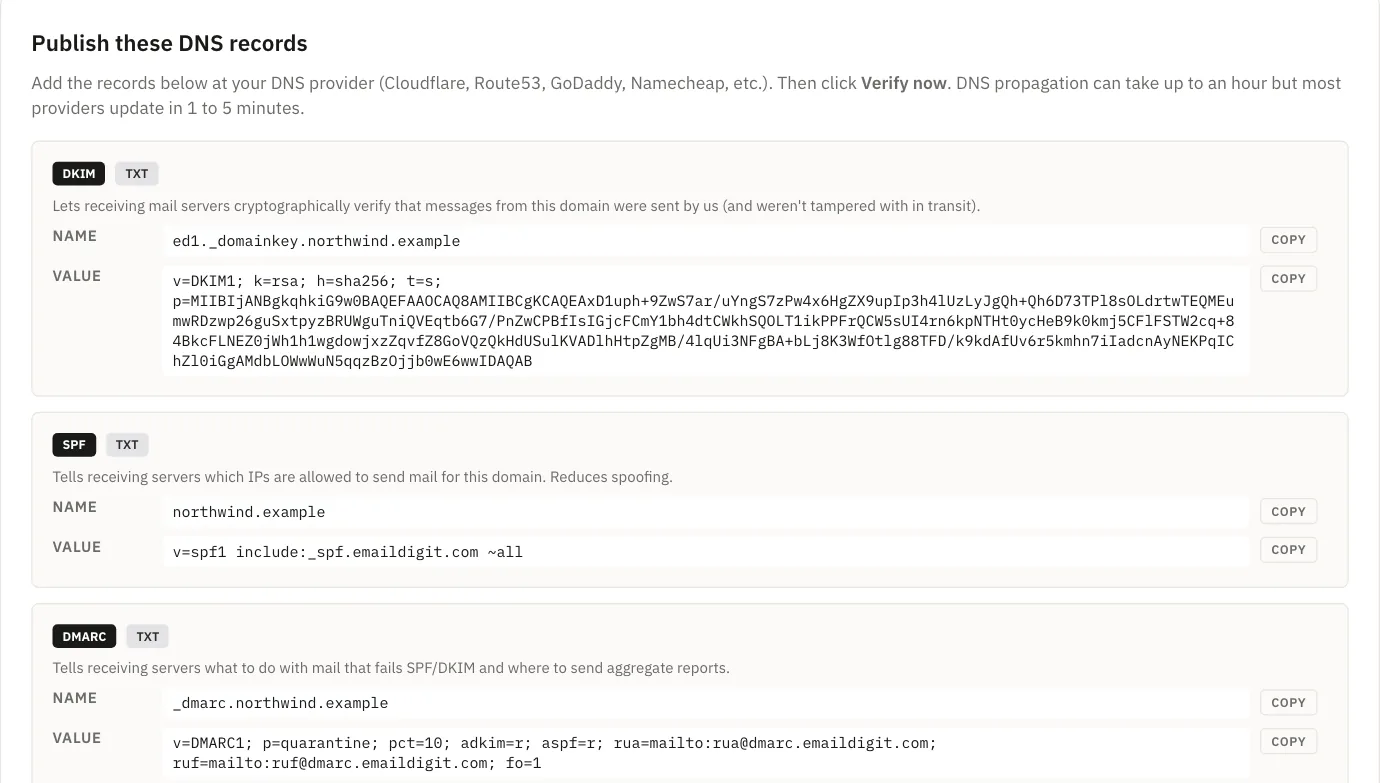
You publish four DNS records once: three CNAMEs and one TXT. The CNAMEs point at names we control, which is exactly why we can rotate what's behind them without ever asking you to edit DNS again. Not sure where that screen is at your registrar? Step by step at Cloudflare, GoDaddy and Namecheap.

| Record | Purpose | What you publish | Sample |
|---|---|---|---|
| DKIM · CNAME | Signs every outgoing message so a receiver can verify it really came from your domain. | ed1._domainkey.acme.com CNAME points to acme-com-a3f1b8.dkim.emaildigit.com | Example |
| DKIM · CNAME | A second DKIM signing selector, published alongside the first one. | ed2._domainkey.acme.com CNAME points to ed2.acme-com-a3f1b8.dkim.emaildigit.com | Example |
| DMARC · CNAME | Tells receivers what to do when SPF or DKIM fail, and where to send the aggregate reports. | _dmarc.acme.com CNAME points to acme-com-a3f1b8.dmarc.emaildigit.com | Example |
| SPF · TXT | Tells receiving mail servers which senders are allowed to send for your domain. | acme.com TXT value v=spf1 include:_spf.emaildigit.com ~all | Example |
We verify across several resolvers rather than one lookup that might be cached, and we verify you own the domain before we start monitoring it.
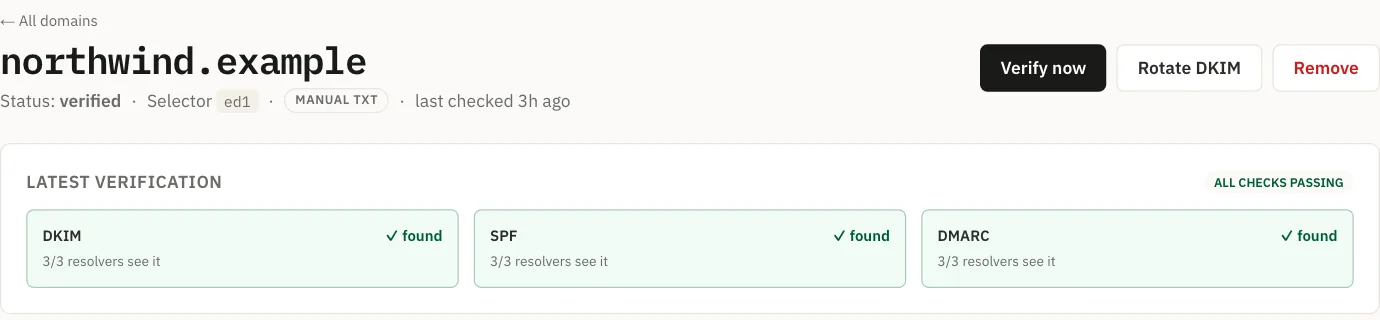
One-click rotation and DMARC.
Warm-up is ours.
Key rotation with a grace window
- One signing, one on standby. Rotate in one click.
- New mail signs with the fresh key while the retiring one stays published long enough that mail already sent still verifies.
- There's no window where your signatures fail.
DMARC step-ups on evidence
- Managed domains start at monitor-only. We offer the next step, quarantine and then reject, only once your aggregate reports show it is safe: 14 days at the current step and 95% alignment.
- Advancing on a schedule instead is how legitimate mail gets rejected by its own domain.
- Each step is one click, and reject asks you to confirm separately. You never edit the DNS record.
Warm-up as a mechanism
- A new domain starts at a low daily ceiling and climbs, but only on days its bounce and complaint rates are healthy.
- Volume above today's ceiling is held for tomorrow, never dropped.
We run our own authentication stack. No third-party branding appears in your DNS records or this interface. Your domain looks like your domain.
Non-compliant mail is refused, not filtered.
Gmail and Yahoo have required DMARC from bulk senders since February 2024. Since May 2025, Outlook, Hotmail and Live require SPF, DKIM and DMARC from any domain sending more than 5,000 messages a day, and mail that fails is now refused rather than filed in junk. Microsoft's refusal reads 550 5.7.515 Access denied; Gmail's equivalent is 550 5.7.26. If either is in your logs, your mail isn't being filtered. It's being refused.
One sender's bad campaign is not your delivery problem.
Bounces and complaints come back from the sending provider and are attributed to the workspace that sent the message. If one sender's complaint rate climbs, that sender is throttled. Most shared platforms can only respond across a whole account, which means a stranger's bad list becomes your problem.
Monitoring, and compliance that ships on by default.
Domains are re-checked on a schedule and you're alerted when something changes: a record edited, a policy weakened, a new blocklist entry.
One-click unsubscribe is in the header on every marketing send, because a hard-to-find unsubscribe link produces complaints, and complaints are what actually damage a sending reputation. Opt-outs and hard bounces land on a do-not-send list with two levels: opt-outs stop marketing and are reversible; hard bounces and complaints stop everything, including your app's email, and stay stopped. The list only ever gets stricter.
DNS questions, answered.
Do I have to move my DNS to you?
No. Four records on your existing DNS. We never ask for nameserver delegation.
What if my DMARC policy is already reject?
Managed domains start at p=none and step up as your reports allow, so tell us before you switch a domain that is already enforcing.
Can you guarantee inbox placement?
No, and nobody honestly can: the receiving provider decides. What we can do is make sure authentication, list hygiene and complaint handling are never the reason you were filtered.
Do you run your own mail servers?
No. We own the authentication stack (the keys, the records, the policy, the reports) and send over a commercial relay. Owning the DNS story is what lets your domain look like your domain; claiming to own the wires would be a different claim, and it wouldn't be true.
See where
your domain stands.
The checker is free and needs no account.