Marketing vs transactional email: what the label changes
Decide whether each email is marketing or transactional when you design it, not when you send it: transactional mail is something the recipient needs because of something they did, and anything with a promotion in it is marketing. In Email Digit that one label then decides three things for you: the unsubscribe headers, which do-not-send entries apply, and how the email counts against your limits.
What makes an email transactional
A transactional email completes something the recipient started or needs to know about their account: a password reset, an order receipt, a shipping notice, a security alert, a changed billing date. A marketing email exists to sell or promote: newsletters, offers, product launches, “we miss you” messages.
The distinction is not only internal. In the United States, the CAN-SPAM Act asks what an email’s primary purpose is; transactional or relationship messages are exempt from most of its requirements, commercial ones are not. Gmail’s sender guidelines require one-click unsubscribe on marketing and subscribed messages from bulk senders, and not on transactional ones. Other countries draw the line in their own way, so check the rules where your recipients live.
Three questions settle most cases:
- Would the recipient expect this email even after unsubscribing from your newsletter?
- Was it caused by something they did, or by something about their account?
- Does it contain no offer, discount or promotion?
Three yeses: transactional. Any no: treat it as marketing. A receipt with a “20% off your next order” banner is the classic trap; its primary purpose can become hard to defend. Keep the promotion for a separate marketing email.
What the label changes in Email Digit
Every email Email Digit sends carries one label before it leaves. Separate parts of the system read it, so none of them has to guess:
| Rule | Marketing | Transactional |
|---|---|---|
| One-click unsubscribe headers | Added | Never added |
| Blocked by an unsubscribe | Yes | No |
| Blocked by a hard bounce or spam complaint | Yes | Yes |
| Counts toward the monthly email allowance | Yes | Yes |
| At the monthly cap | Held until the allowance resets | Keeps sending on paid plans, counted and flagged |
| 5 per contact in 7 days limit | Applies | Does not apply |
The headers
Marketing email gets the one-click unsubscribe headers defined in RFC 8058, which mailbox providers use to show an unsubscribe button next to your name. Transactional email never gets them, because a password reset is not list mail and there is no list to leave. Marketing email also carries your postal address in the footer when your workspace has one set.
The do-not-send list
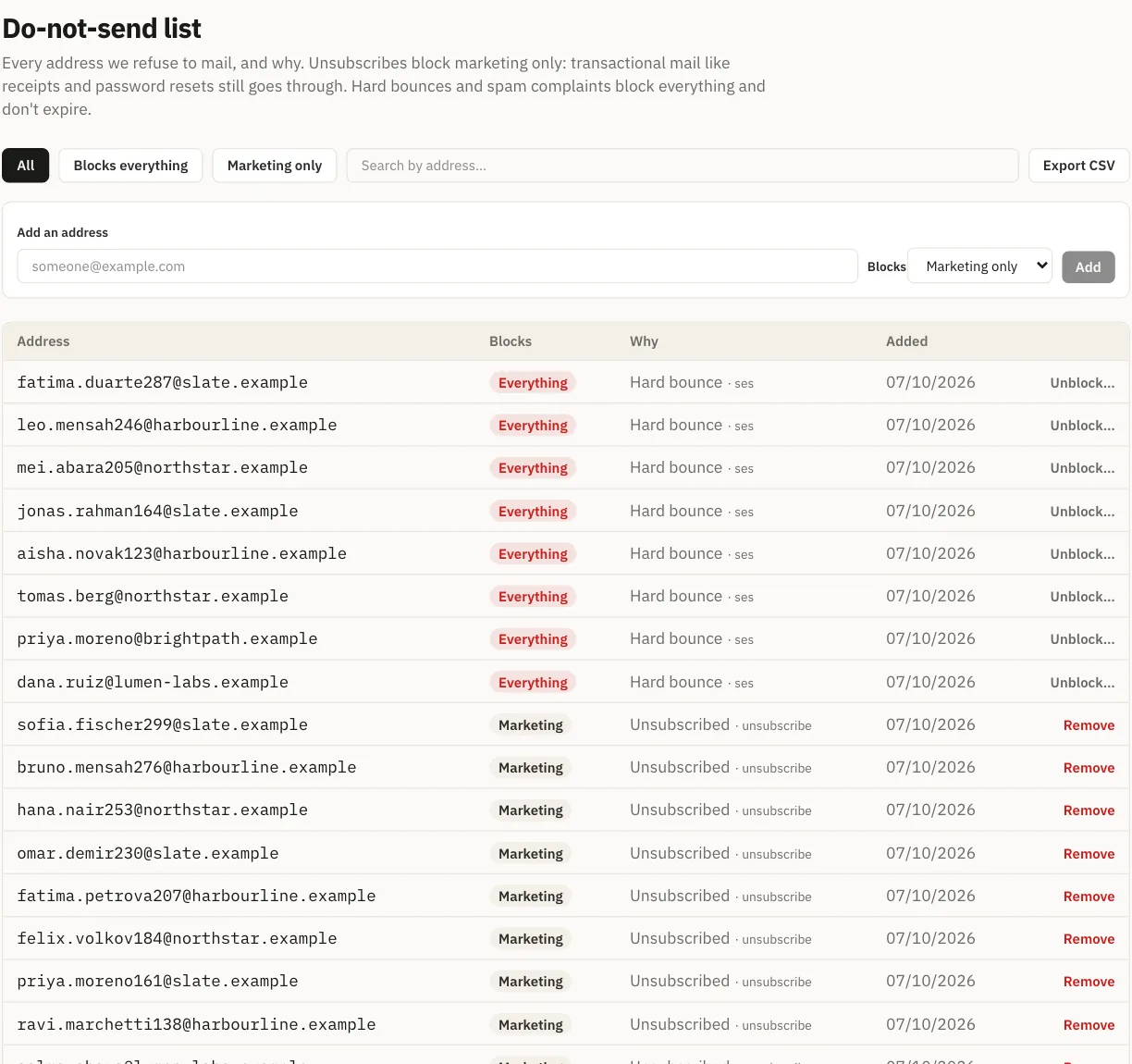
The suppression list has two scopes. An unsubscribe goes into the marketing scope, which stops marketing only: someone who left your newsletter still gets their order receipt, which is what they want. A hard bounce or a spam complaint goes into the “all” scope and stops both streams. An entry can be widened from marketing to all, never quietly narrowed. The label on each email decides which entries apply to it.
The limits
Both streams count toward your plan’s monthly allowance: 5,000 emails on Lite, 50,000 on Starter, 200,000 on Pro and 500,000 on Business, and 100,000 on Scale and 500,000 on Growth for the developer plans. The count resets on the 1st of the month (UTC), and you are told at 80%, 90% and 100%.
At the cap, marketing mail is held, not dropped, until the allowance resets. On a paid plan, transactional mail keeps sending: a password reset held until next month would lock your users out of their accounts. It is still counted, and you are told you are over. During the 14-day trial the cap is 2,000 emails, and transactional mail stops at it too.
Separately, no contact receives more than 5 marketing emails in a rolling 7 days by default. That limit is a platform setting rather than something you configure, and it ignores transactional mail.
Where the label comes from
You rarely set it by hand. It follows from where the email starts:
- Campaigns and sequences are marketing.
- Transactional journeys, fired from your app through the send API, are transactional.
- Automation flows are built on one stream or the other. A flow started by an API event is transactional. A “switch stream” step can move a contact’s path from one to the other part way through, when the purpose of the emails changes.
A rule for developers
If you build on the API, the stream is a design decision, made once per message type: choosing transactional for an email with a promotion in it removes the unsubscribe button and lets it reach people who opted out, which is exactly what the rules above exist to prevent. And a recipient who marks your password resets as spam lands in the “all” scope, which stops your marketing to them as well. Keep transactional email short, expected and free of offers, and both streams stay deliverable.
For how to send transactional email safely from code, read retry a transactional email without sending it twice.