How a reply priority score works, and why it is a formula
Rank replies with a fixed, published formula over a few readings of each message, not with a number an AI produces on its own. A formula can be explained line by line and gives the same answer twice. In Email Digit the AI reads the message; arithmetic decides its priority from 0 to 100.
Why a priority score should be a formula
If you ask an AI “how important is this email, from 1 to 100?”, you get a number with no working. You cannot tell why one reply got 71 and another 64, you cannot predict what will change it, and you cannot argue with it when it is wrong.
Splitting the job in two fixes that. The AI does what it is good at, reading language: how urgent is this, how heated, how positive, is money mentioned. A formula then combines those readings with weights anyone can read. When a score looks wrong, you can see which input caused it.
The formula Email Digit uses
Each input is turned into points from 0 to 100, then weighted:
| Input | Weight | How it becomes points |
|---|---|---|
| Urgency | 30% | Low 10, normal 40, high 75, critical 100 |
| Emotional intensity | 25% | The 0 to 100 reading, as is |
| Relationship | 20% | The sender’s engagement score with you, 0 to 100 |
| Money mentioned | 15% | Scales with the amount, full points at $1,000 or more |
| Sentiment | 10% | Negative 100, neutral 40, positive 10 |
The relationship line is the one most scoring leaves out. The engagement score comes from what the sender has actually done with your email: clicks, replies and conversions, never opens. So the same sentence ranks higher from someone who buys from you than from a stranger, without anybody tagging them as important.
A worked example
Two people send the same message: “Our launch is tomorrow and the setup steps you sent do not match what I see. Can someone help today?” Suppose the readings are high urgency, intensity 45, neutral sentiment and no money mentioned.
| Input | A customer with engagement 70 | A stranger with engagement 0 |
|---|---|---|
| Urgency (high, 75 x 30%) | 22.5 | 22.5 |
| Intensity (45 x 25%) | 11.25 | 11.25 |
| Relationship (x 20%) | 14 | 0 |
| Money (none) | 0 | 0 |
| Sentiment (neutral, 40 x 10%) | 4 | 4 |
| Priority | 52 | 38 |
Same words, 14 points apart, and the reason is one line of the table. That is what “explainable” means here.
If you rank by hand, write the weights down
The same idea works for a team with no software. Agree a short scoring sheet, for example two points for “needs an answer today”, two for an existing customer, one for money mentioned, one for an angry tone, and add them up. The exact numbers matter less than two properties: everyone uses the same sheet, and anyone can see why a message landed where it did. When the ranking feels wrong, you change a weight in one place instead of arguing about one email.
Floors, so calm messages that matter are not buried
A weighted blend rewards heat and urgency, which has a blind spot: a measured, polite letter from a lawyer scores low on both. So serious risks set a minimum. A reply flagged as a legal threat never scores below 85, a chargeback risk below 80, an escalation below 75, an overdue payment below 70 and churn risk below 68. By topic, contract and legal matters never fall below 72, and complaints and refund requests below 66. Floors only ever raise a score.
One rule goes the other way. If the sender is read as a vendor or as spam, someone selling to you, the score is capped at 25 before the floors apply. An enthusiastic pitch stays at the bottom, but a vendor who sends a real legal threat is still lifted to 85.
Using it in the inbox
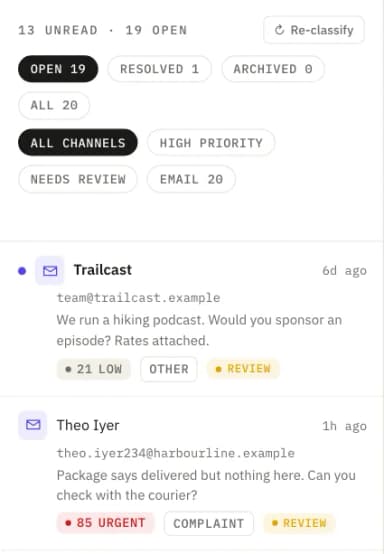
The High priority view shows replies scoring 60 or more, highest first. The sort runs on the server across your whole inbox, not only on the page you have loaded, so with thousands of replies waiting, the first one you open is still the most urgent. Turn the view off and every reply is back in the list, however it scored.
What the formula cannot do
- It is only as good as its readings. The weights are fixed, but urgency, intensity, sentiment and any amount come from the AI’s reading of the message. That is why we call the score explainable, not infallible. You can correct the sender type, intent and category in the inbox, and the priority is recalculated on the spot; urgency, intensity and sentiment cannot be edited by hand.
- A new sender has no relationship points. Up to 20 points depend on history, so a first-time customer starts lower than a long-standing one. The floors exist partly for that case.
- The weights are not adjustable. Every workspace uses the same formula, which is what keeps scores comparable and the explanation short.
For the six readings behind the inputs, read How to classify email replies, or see how replies are read.