Move your email templates without the old tracking pixel
When you move email templates to a new platform, paste each one in whole rather than rebuilding it, then check it for what the old platform left behind: its tracking pixel, its merge tags, its unsubscribe link, and images still loaded from someone else’s server. Email Digit removes the known tracking pixels on paste and tells you when it has taken any out.
What an old template carries with it
A template exported from one email platform is not neutral HTML. It usually contains pieces that only made sense on that platform:
- A tracking pixel. A tiny image, often one pixel square, loaded from the old provider’s servers. Every time a mail app loads it, the old provider records an open, along with the reader’s IP address and mail client. If it survives the move, your old provider keeps collecting data from mail you now send from somewhere else, and nobody notices because the email looks identical.
- Merge tags in the old syntax. Each platform has its own way to write “first name here”. A tag the new platform does not recognise goes out as literal text.
- The old unsubscribe link. It points at a list you are no longer using. Someone who clicks it unsubscribes from nothing.
- Tracked links. If you copied the HTML from a sent email in your inbox rather than from the template editor, every link may run through the old platform’s click redirect.
- Hotlinked images. Pictures loaded from the old platform’s storage or your website. If either changes or disappears, the image breaks in every email already delivered.
The tracking pixel is the one people miss most, because it is invisible by design. Search the HTML for image tags with a width and height of 1, or a source on a domain that is not yours.
Why a full email stays one block
When you paste a full HTML email into the Message Builder, it comes in as one raw HTML block that renders the way it did, as long as its styling is inline, which is how most email templates are written. It does not try to split the email into editable blocks. That is deliberate: email HTML is nested tables, Outlook conditional code and inline styles, and converting it into blocks is exactly where layouts get mangled. A layout you can see working is worth more than one you can edit but have to repair.
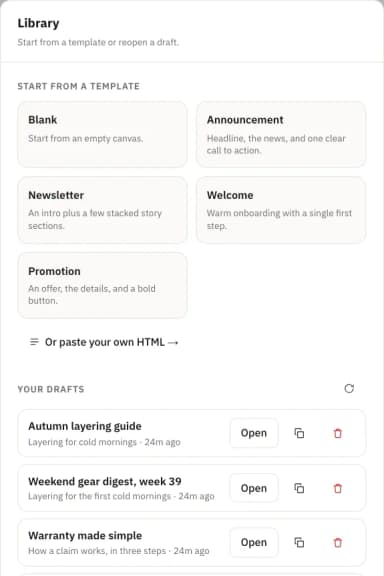
If you paste a single heading, paragraph, image or button on its own, it does become a native, editable block.
What happens on the way in
- Active content is removed. Scripts, embedded frames, forms and event handlers are stripped. Mail clients block them anyway, and they have no place in an email. A
<style>block in the head is not carried into the raw HTML block either, so a template that relies on classes defined there will lose that styling. Background images set in CSS are removed as well, because they can load trackers. - Known tracking pixels are removed, and reported. Images from the tracking hosts of a list of known email and analytics services are taken out, as is any image 3 by 3 pixels or smaller, since an image that size carries no picture. A note tells you the old platform’s pixels were removed, so an empty dashboard over there is not a mystery. Email Digit records opens itself, and shows them without ever counting them as success.
- Images in image blocks are copied when you save. If an image block points at someone else’s website, Email Digit copies the image to its own storage, so a later change on that site cannot break or swap a picture in mail you already sent. Images must be PNG, JPEG or GIF. A WebP or SVG is refused with the fix, such as saving it as a PNG, because those formats break in common mail clients.
What you still need to check
The import handles the invisible part. These are yours:
- Images inside the pasted HTML are not copied. Only image blocks are re-hosted. Pictures inside a pasted raw HTML block still load from wherever they did before. For a logo or a hero image that matters, add it as an image block instead, or make sure the host is one you control.
- Merge tags. Replace the old platform’s tags with Email Digit’s, such as
{{first_name}}and{{email}}. - The unsubscribe link. Point it at
{{unsubscribe_url}}, which becomes a working unsubscribe link for each recipient. - Links. Links are not rewritten on import. Replace any that go through the old platform’s redirect with the real address.
- Unknown trackers. Pixel removal works from a fixed list of known services plus the size rule. A tracker from a service that is not on the list, at a normal image size, can get through.
A migration checklist
- Export the template from the old editor, not from a sent email.
- Paste it into the Message Builder and check for the note that tracking pixels were removed.
- Swap merge tags and the unsubscribe link.
- Move important images into image blocks, so they are copied on save.
- Send a test to yourself and click every link.
Moving templates is often the part of switching platforms people put off longest. Done this way, the layout comes across intact and the old provider stops hearing about your mail. If you are weighing a move, a 14-day trial is enough time to bring your templates across and test them.