Email Digit: email that lands, with every reply read and ranked
Free tools. No account needed.
Two products. Pick the one that's yours.
They share the same sending stack, the same contacts and the same inbox. They look nothing alike, because you don't. Choose at signup; switch any time.
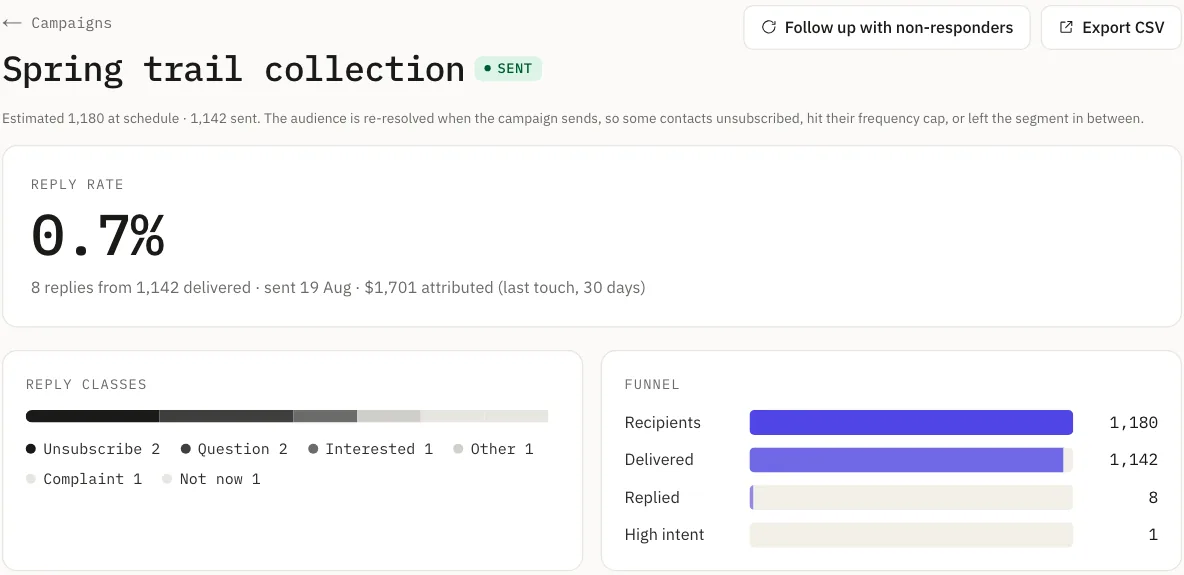
I send campaigns to a list.
Broadcasts, automations, segments, and an editor that writes on your brand. Contacts are never counted or charged for. Your report leads with replies and revenue instead of open rates.
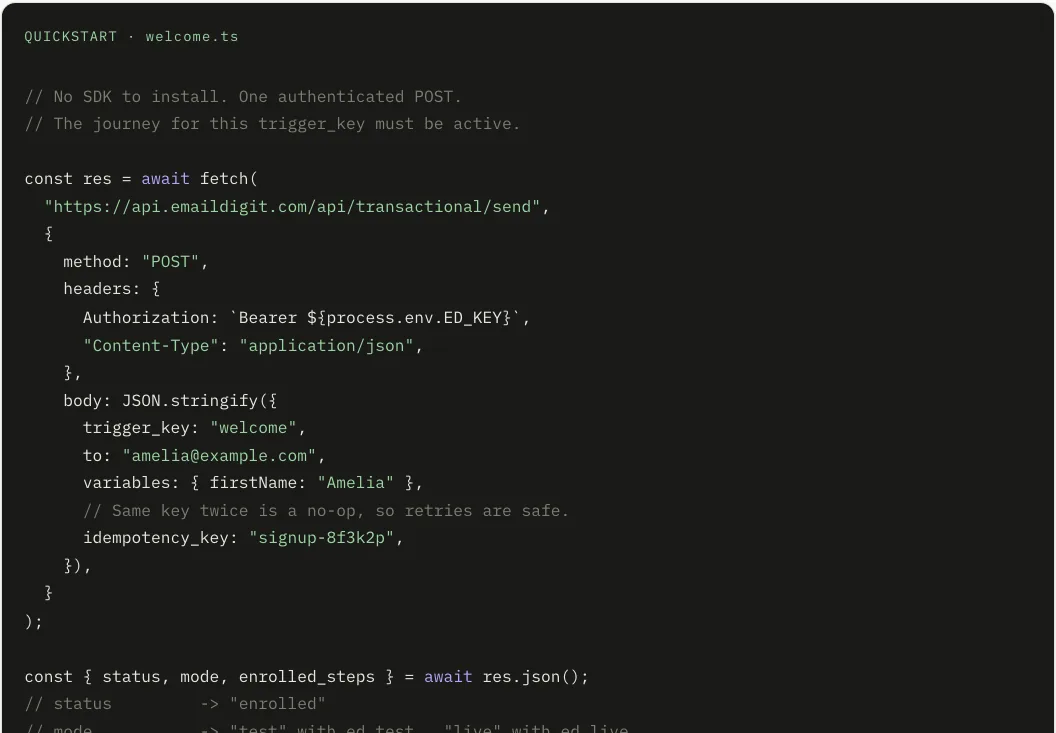
I send email from my app.
Password resets, receipts, onboarding sequences. Define the email once, then fire a trigger with one authenticated POST. Test keys sandbox everything. Every send is searchable.
Not sure? Start as a marketer. Nothing is locked, and the other product is one click away in the sidebar.
You bought a builder. You needed infrastructure.
Most email tools are excellent at the part you can see and indifferent to the part that decides everything. Drag-and-drop is solved. Authentication is not.
Gmail and Yahoo have required DMARC from bulk senders since February 2024. Since May 2025, Outlook, Hotmail and Live require SPF, DKIM and DMARC from any domain sending more than 5,000 messages a day, and mail that fails is now refused rather than filed in junk. If SPF, DKIM and DMARC aren't right, nothing else you do matters: the best-designed campaign of your career gets a 550.
Then your reporting tells you, say, 68% of people opened it, which is mostly a mail app opening it for them.
And when someone actually writes back, that reply lands in a shared inbox nobody has read since Tuesday.
> MAIL FROM:<news@yourbrand.com>
< 250 OK
> RCPT TO:<reader@gmail.com>
< 550 5.7.26 Unauthenticated email is not accepted
   SPF: none · DKIM: none · DMARC: no policy
> refused: not filed in junk. Refused.
So we built the authentication layer first, the reply layer second, and the editor on top.
Set it up once. Then never think about it again.
You publish four DNS records once, and we keep them current from then on. See the four records and what each one does.
Rotate your signing key in one click: two selectors and a grace window keep mail already sent verifying while the new key takes over. Managed domains start DMARC at monitor-only, and we show when your aggregate reports say it is safe to tighten the policy, then step it up in one click. Never on a calendar. A brand-new domain gets a graduated daily ceiling that rises only on days its bounce and complaint rates are healthy, and anything over today's ceiling is held for tomorrow, never dropped.
We run our own authentication stack, so no third-party branding appears in your DNS records or your dashboard.
How managed deliverability works- CNAMEed1._domainkeyacme-com-a3f1.dkim.emaildigit.com
- CNAMEed2._domainkeyed2.acme-com-a3f1.dkim.emaildigit.com
- CNAME_dmarcacme-com-a3f1.dmarc.emaildigit.com
- TXT@v=spf1 include:_spf.emaildigit.com ~all
Warm-up as a mechanism, not a checklist.
New domains start at a low daily volume and climb as they earn it. You can't forget it, because it isn't your job.
One-click unsubscribe on every marketing send.
Header-based, the way Gmail and Yahoo require. Opt-outs and hard bounces land on a do-not-send list that only ever gets stricter.
DMARC reports you can actually read.
Paste or upload the aggregate XML into the free analyser and get a plain answer about who is sending as you. No account needed.
Hi, we were charged twice this month. Second time this has happened. Can someone sort this out today?
- party_type
- customer
- category
- billing
- intent
- complaint
- sentiment
- negative
- urgency
- high
- intensity
- 72 / 100
Every reply gets read. Including the ones nobody has time for.
When someone replies, we read it before you do. Not for a keyword, for what it is. Six independent readings: who's writing, what it's about, what they want, how they feel, how urgent it is, and how strongly they feel it. “Annoyed customer asking a billing question urgently” and “cheerful stranger pitching us SEO” are different situations, and one label can't tell them apart.
From those, one 0 to 100 priority number you can sort by, and an explanation of how it got there.
Then it drafts the reply. You pick the situation from a dropdown (there's no prompt to write) and get an editable draft in your brand's voice. Anything flagged for review or carrying a risk flag is draft-only: it will not send for you, however confident it looks.
And when it gets one wrong, you correct it once. That correction becomes a rule for that sender or that domain, inside your workspace. Nothing you correct trains a model shared with anyone else.
How reply intelligence worksWe don't score open rates. Here's why that's the honest answer.
Apple Mail opens messages on its users' behalf, so a large share of reported opens are software, not people. We still show opens, labelled unreliable, but we only score what took a decision: a click, a reply, a conversion.
Why opens stopped being a measurement- Clicks412scored
- Replies57scored
- Conversions19scored
- Opens2,841unreliable · not scored
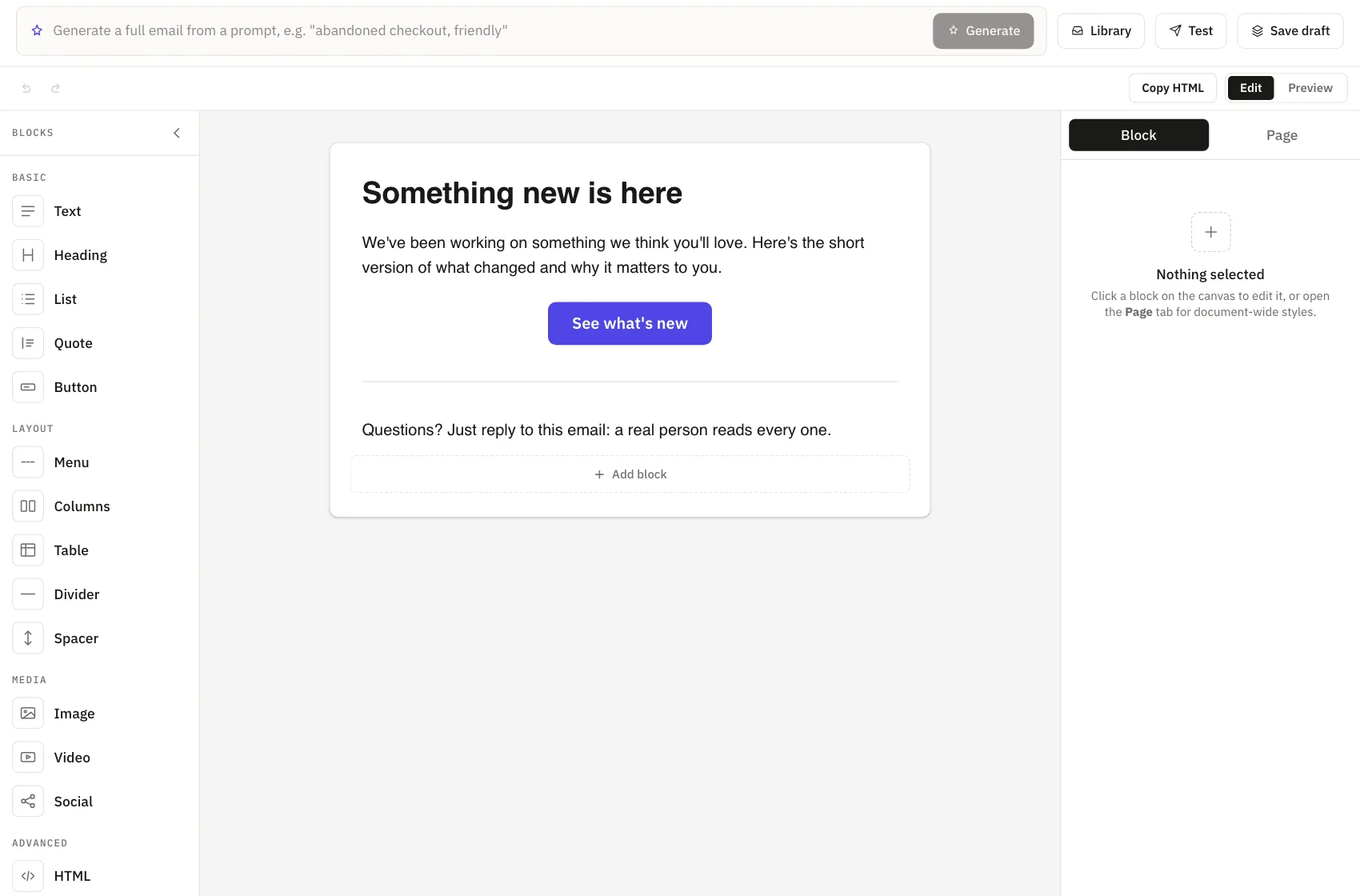
Write it, or describe it and edit what comes back.
A block editor with the fourteen block types you expect (text, image, button, columns, tables, menus, video, quote) plus per-block spacing, backgrounds and a hide-on-mobile switch. Merge fields autocomplete as you type. Paste an existing HTML email and it comes in intact.
Or describe the email and get a draft. Point us at your website once and we read your colours, fonts and tone of voice, then apply them to everything we generate, including the email your app sends at 3am. If a site blocks automated access we say so and give you editable defaults, rather than inventing a brand and labelling it yours.
Output is email-safe HTML (Outlook, dark mode, mobile) and right-to-left languages render properly, not as broken left-aligned text.
Automations you can read at a glance.
A canvas of triggers, waits, branches and sends, started by a segment, a tag, a reply, a date or an API event. Drag from the palette and the next step connects itself.
Goals count a conversion, a reply or an engagement tier moving up, never an open. Edits stay a draft until you publish them, and every run keeps a log that says what it did and what it skipped.
Automations for marketers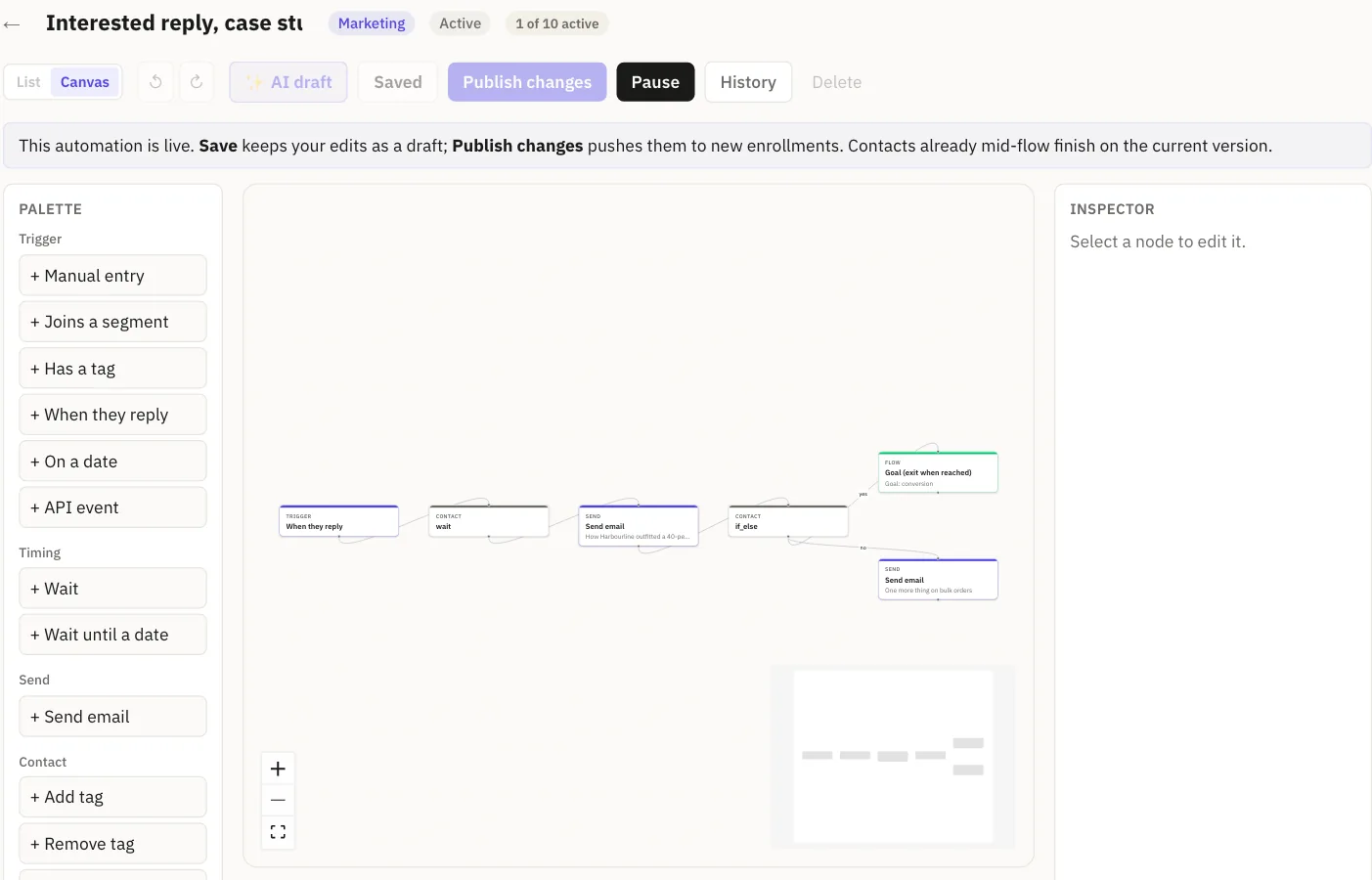
What we do that most sending tools don't.
Resend has the better developer experience and Mailchimp has more templates. We're not going to pretend otherwise. We win on deliverability you don't manage, replies you don't lose, and metrics that mean something.
Managed DKIM · SPF · DMARC
One-click key rotation, and one-click DMARC step-ups once your reports say it is safe. You never edit DNS again.
Reply classification
Six readings of every reply, an explainable 0 to 100 priority, and a drafted answer. Risky replies are never auto-sent.
Engagement without open rate
The score counts clicks, replies and conversions only. Opens are shown, never scored.
Right-to-left email
Arabic, Urdu and Hebrew in generated email and previews.
Try it for 14 days. Predictable after.
Broadcasts, automations, segments, the editor. Unlimited contacts.
Start 14-day trialEvery paid plan starts with a 14-day trial. Card required, cancel any time. Prices in USD. See every plan
We're new. Here's the honest inventory.
We don't have customer logos to show you yet, so here's the list instead.
- managed SPF, DKIM and DMARC with one-click key rotation and DMARC step-ups
- domain warm-up
- marketing broadcasts, segments and automations
- app-triggered email with test-mode keys
- the reply inbox: reading, scoring and drafting
- a brand-aware editor and AI generation
- signed webhooks with retries
- the free tools above, 17 of them
- client libraries in any language: the REST API is the API
- Zapier, n8n, Make and Salesforce connectors
- a public status page
- no SOC 2 or ISO certification, and no audit underway
- moving from Mailchimp, Klaviyo, ActiveCampaign or HubSpot. We do it with you on a call and you approve it before anything lands.
- CSV import you can run yourself any time.
If something on this page turns out to be wrong, tell us and we'll fix the page.
Straight answers to email problems.
- How to add CNAME and TXT records at Cloudflare, GoDaddy and NamecheapThe exact clicks at three registrars for the three CNAMEs and one TXT, and why a record stays unverified.Updated 10 Oct 2026
- How to classify email replies: six readings, not one labelWhy a reply needs six separate readings, the vocabulary Email Digit uses for each, and what happens when AI classifications run out.Updated 8 Oct 2026
- How a reply priority score works, and why it is a formulaThe five weighted inputs behind a 0 to 100 reply priority, worked through on a real-looking message, with the floors and the cap.Updated 8 Oct 2026
Start with your domain, or start sending.
Every paid plan starts with a 14-day trial, and you can cancel any time. If your authentication is broken, the domain check will find it in about ten seconds and tell you exactly what to publish.
14-day trial, card required · unlimited contacts on every plan · managed authentication included