AI brand extraction that is held to what is on your site
An AI that reads your website for brand colours and fonts should be held to what it actually found. Email Digit’s Brand Studio checks the AI’s answer against the page: a main colour that appears nowhere on your site, or a font your site never uses, is thrown away and replaced with what was really there. When a site cannot be read at all, it says so and gives you labelled starter defaults instead of a made-up brand.
How AI brand readers go wrong
Pointing an AI at a website and asking for the brand is a reasonable idea. The failure is that a language model is built to produce a plausible answer, and a plausible brand is easy to produce from very little. Three things tend to happen:
- It designs instead of reading. Given a purple and gold site with thin evidence, it can return a tasteful teal that was never on the page, because teal goes with the rest.
- It names a common font. If it cannot tell which typeface you use, it may answer with a popular one your site has never loaded.
- It reads the toolkit, not the brand. Websites built on a CSS framework or a website builder carry a full default palette in their stylesheets. Counted naively, a framework’s stock amber or error red can outnumber your actual brand colour.
Each of these produces a result that looks finished and confident, which is what makes it costly: you find out when a customer sees an email in colours you have never used.
Checking an AI brand reading yourself
Whatever tool you use, a few minutes of checking catches most of it:
- Open your site, right-click your main button, and inspect it. The colour value there is your primary colour. Compare it to what the tool returned.
- In the same panel, look at the computed font family of a heading and of body text. If the tool named something else, it guessed.
- Read the tone description against three real pages of your site. If it says “playful” and your pages are formal, the tool described a brand it imagined.
How Brand Studio reads your site
You paste your website address. Brand Studio fetches the page and its stylesheets and reads two things: your design (colours, fonts and logo) and your voice (a summary, personality, how formal you are, words to prefer and avoid, do’s and don’ts, example phrases in your voice, and how much emoji to use).
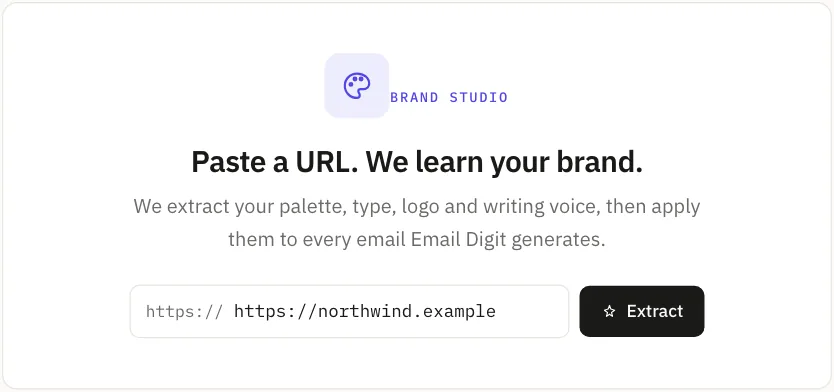
The order matters:
- A rule-based reading runs first, every time. It works only from what is on the page. Colours your own stylesheet names as brand, primary or accent count for more than a framework’s default palette, and error and success colours are never treated as your main colour.
- The AI adds its reading on top. It is good at the parts rules are weak at, such as describing your tone.
- The AI’s colours and fonts are checked against the evidence. If its primary or accent colour is not close to any distinct colour actually found on your site, it is discarded and the rule-based colour is kept. If its heading or body font is not one your site references, the same happens. The AI can describe your brand; it cannot invent one.
Each saved brand is labelled with how it was read, “Extracted by AI” or “Extracted by rules”, and the preview is a sample email rendered by the same engine as your real sends, so you can judge the result before using it.
When a site cannot be read
Some sites refuse automated visitors or return an empty page. When the fetch finds no usable colours and no fonts at all, Brand Studio does not ask the AI to fill the gap. It says so, and gives you editable starter defaults labelled “Could not read site, starter defaults”.
Activating those defaults asks you to confirm first, with a plain reminder that this is generic starter styling and not your real brand. You can edit the colours and fonts, or try again from a different address. What you never get is a confident-looking brand built from nothing.
Limits
- The voice gets a lighter check than colours and fonts. On a site with very little text, the AI’s personality and style fields are dropped and the rule-based reading is kept. Otherwise the voice profile is the AI’s reading of your copy. Read it before you activate the brand, and edit anything that does not sound like you.
- Only the main and accent colours are checked. Supporting colours such as borders and backgrounds come from the reading without the same test, and are easy to edit.
- Not every site can be read. Brand Studio fetches pages the way common browsers do, which gets past many “checking your browser” screens. It cannot get past a CAPTCHA or a site that blocks automated visitors outright, and a site that builds everything with JavaScript may read thin.
- It uses your AI allowance. Each extraction counts toward the AI actions included in your plan.
An AI that reads your brand should be held to what it read. See what Email Digit does for marketers, or start a 14-day trial and paste in your site.