Rewrite email copy in your brand voice, without a style prompt
To keep email copy in one voice, write the voice down as rules a person or a model can follow (formality, sentence style, words to use and avoid, emoji), then make those rules travel with every edit instead of living in a document. In Email Digit’s Message Builder, the AI menu on a paragraph, heading, list or button block applies your active Brand Studio voice to every rewrite, so nobody pastes a style guide into a prompt.
Why brand voice drifts in email
Most teams have a voice somewhere: a slide in the brand deck, a page in a shared drive. It rarely reaches the moment of writing. A newsletter is drafted on Monday by one person, a promotion on Thursday by another, and a reminder email by whoever had time. Each sounds a little different, and over a year the differences add up to a company that sounds like several companies.
AI writing tools can make this worse rather than better. Ask one to “make this shorter” without telling it who you are, and it returns copy in its own default voice: polite, generic and recognisably not yours. Each person who uses it gets a slightly different result, depending on what they remembered to put in the prompt.
Write the voice as rules, not adjectives
“Friendly but professional” describes almost every company. A voice description is useful when someone who has never met you could apply it. These are the parts that do the work:
- Formality. Casual, conversational, professional or formal. Pick one; the space between them is where drift happens.
- Sentence style. Short and direct, or longer and explanatory. Whether you use contractions.
- Words to prefer. The terms you have chosen: “members” rather than “customers”, “order” rather than “purchase”.
- Words to avoid. The ones that sound wrong from you, including industry filler.
- Do and don’t rules. “Lead with the date”, “never use exclamation marks”, “don’t promise delivery times”.
- Emoji. None, occasional or frequent. Teams disagree about this more than anything else, so decide it once.
Test the description by giving the same paragraph to two people with these rules and nothing else. If the results sound like the same company, the rules are specific enough.
How the AI menu works in the Message Builder
In the Message Builder, paragraph, heading, list and button blocks each have an AI menu. On a block that already has copy, it offers five actions:
| Action | Use it when |
|---|---|
| Improve | The point is right but the wording is flat or clumsy. |
| Fix grammar | You want the same words, corrected, and nothing else changed. |
| Shorten | The paragraph runs long for an email read on a phone. |
| Lengthen | A line needs one more sentence of explanation or context. |
| Rephrase | You have read your own sentence too many times to see it. |
You can also type an instruction instead, such as “make this warmer” or “lead with the deadline”. On an empty block, the same box writes fresh copy from a short description.
Nothing replaces your text until you choose. The result appears as a preview with three choices: Accept, Try again or Back. When a brand voice was applied, the result says so, so you can tell a rewrite made with your rules from one made without them.
Where the voice comes from
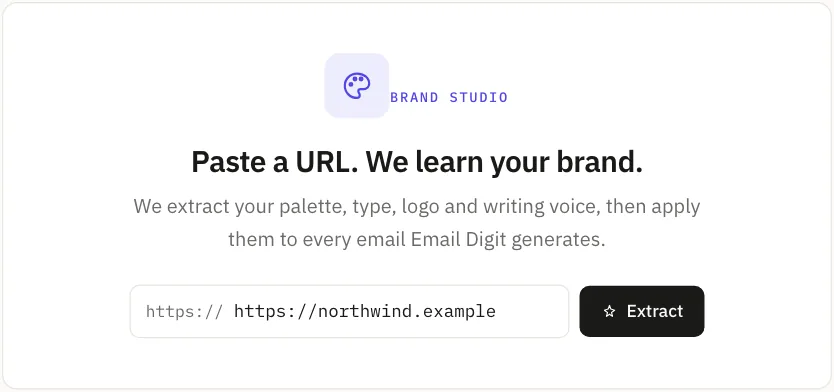
The voice is the tone profile in Brand Studio. Paste your website address and Brand Studio reads the site and drafts a profile: personality, formality, sentence style, words to prefer and avoid, do and don’t rules, and how much emoji to use. Every field is editable, and you should edit it: a website is written for visitors, and your emails may need to sound slightly different.
Whichever profile is active is applied to every rewrite on the server, on every request. The person pressing the button does not choose it and cannot forget it. A Shorten on Monday and a Rephrase on Thursday, by two different people, are both written to the same rules. If no profile is active, the menu still works, without a voice.
Some websites refuse automated reads. When that happens, Brand Studio says so and gives you editable defaults rather than inventing a voice, and you fill in the rules yourself using the list above.
Limits worth knowing
- Each rewrite uses AI actions from your plan. Accepting or rejecting the result makes no difference; generating it is what counts.
- The same request can be generated three times in 30 minutes. After that the editor stops and says why: each attempt uses an AI action, and three variants is usually enough to tell whether a fourth will help. Edit the wording by hand, or change the instruction.
- Undo covers rewrites. An accepted result is an ordinary edit, so Cmd/Ctrl+Z takes you back. The editor keeps 100 steps of undo and redo.
- A voice is not a fact check. Rules control how copy sounds, not whether it is true. Read prices, dates and promises before you send, especially after Lengthen, which adds words you did not write.
If you want to see where the rest of a campaign comes from, read from blank page to sent campaign, which covers the draft, the checks and the send.