Send your first email in five minutes.
Three steps. No SDK to install (we don't have one yet; REST is enough). The same flow works in any language that can make an HTTPS request.
Create an API key.
From your dashboard at /dashboard/api-tokens. Click Create key, give it a name (for example “local dev”), tick the email:send scope, and copy the value once. We store only the hash; if you lose the plaintext you'll have to create a new one. An ed_test_… key records and renders everything and delivers nothing; ed_live_… sends for real. Start on test.
export ED_TOKEN="ed_test_qm4x7ptbz2hs6kdrfw3nyc5jvea7lqtm"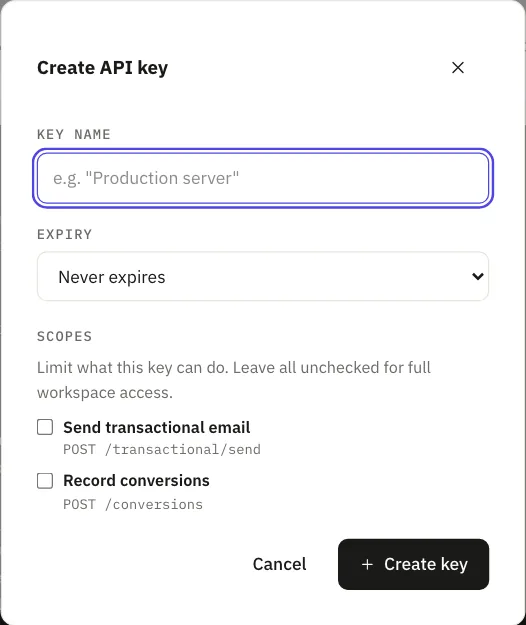
Create a journey and give it a trigger key.
Your app fires a trigger, not a body of HTML: the email itself lives in a journey you write once. Create one at /dashboard/transactional, or describe the sequence and let us draft it. The trigger_key you choose (for example welcome) is what your code calls. A live key needs the journey activated; an ed_test_ key works against a draft.
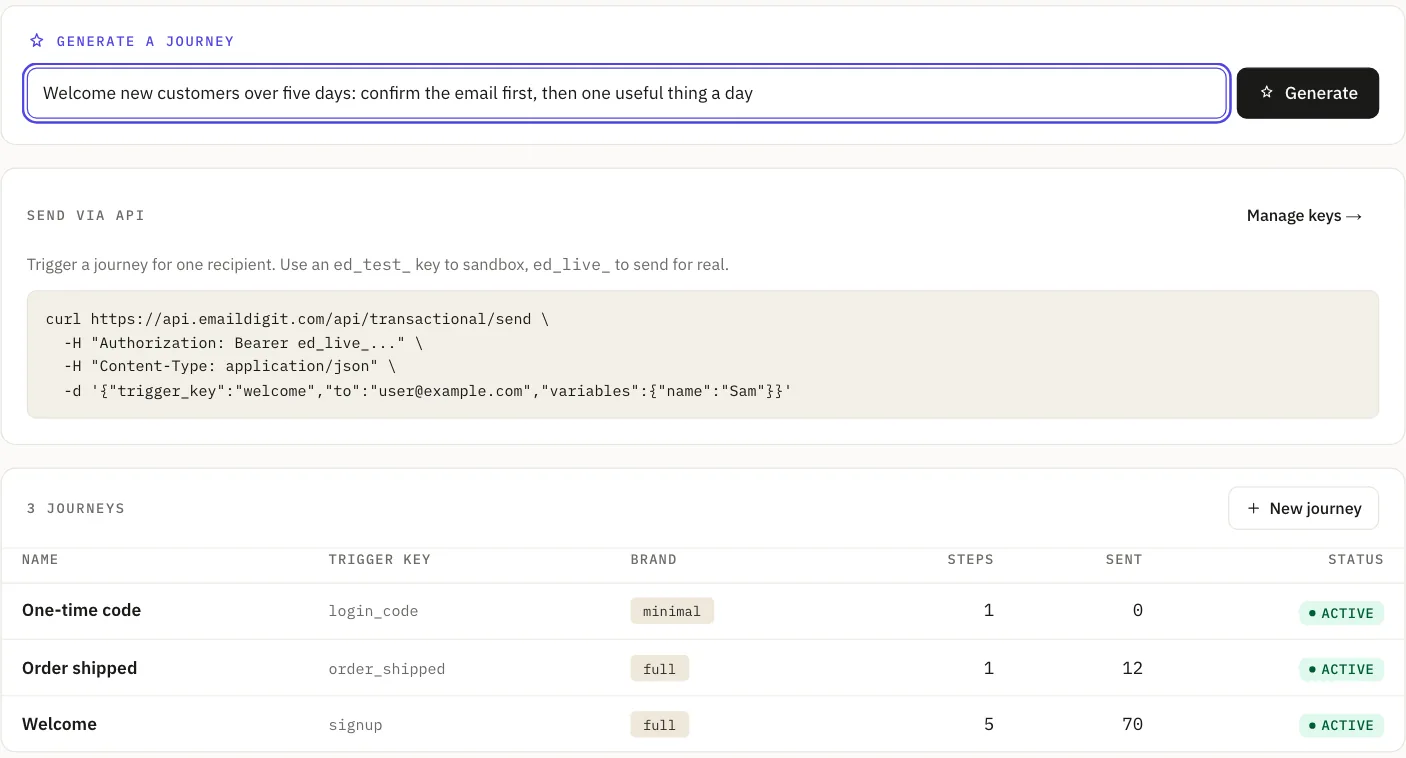
POST to /api/transactional/send.
One endpoint. The key already knows its workspace: no X-Workspace-Id header required. Returns 202 Accepted with the enrollment; pass the same idempotency_key on a retry and it's a no-op.
# Fire the trigger: one authenticated POST
curl -X POST https://api.emaildigit.com/api/transactional/send \
  -H "Authorization: Bearer $ED_TOKEN" \
  -H "Content-Type: application/json" \
  -d '{
    "trigger_key": "welcome",
    "to": "you@yourcompany.com",
    "variables": { "first_name": "Ada" },
    "idempotency_key": "signup_8f21c"
  }'

# → 202 Accepted
{
  "trigger_key": "welcome",
  "status": "enrolled",
  "mode": "live",
  "enrolled_steps": 1,
  "message_ids": ["9f2c1a4e-..."]
}
What to read next.
- Webhooks: receive events when sends land, replies arrive, domains verify.
- API reference: the main endpoints by group.
- Domain setup: four DNS records to start sending from your own domain.
Background reading.
- How to add CNAME and TXT records at Cloudflare, GoDaddy and NamecheapThe exact clicks at three registrars for the three CNAMEs and one TXT, and why a record stays unverified.
- Retry a transactional email without sending it twiceChoose an idempotency key from the event, retry safely, and keep a teammate from renaming a live trigger key.
- From blank page to sent campaign in 10 minutesA step by step walkthrough, from choosing an audience to pressing send, in one sitting.
- SPF and DKIM pass but DMARC failsWhy DMARC needs aligned domains, not just passing checks, and how to fix it.