How AI email campaigns affect efficiency and ROI

AI saves time in the writing and reading of email, not in the judgement behind it. Choosing who to email and what to ask still decides the result. So measure an AI-driven campaign the way you would any other: by replies and revenue per email sent, and by the minutes it took you, counted by you. This guide shows where Email Digit’s AI sits in a campaign, what it cannot do, and how to tell whether it paid for itself.
Where the AI sits in a campaign
Most of a campaign is not AI at all. The parts that are, are the parts that take a person the longest.
| Task | Who does it |
|---|---|
| Choose the audience | You. The product counts who is suppressed, left out or at their weekly limit. |
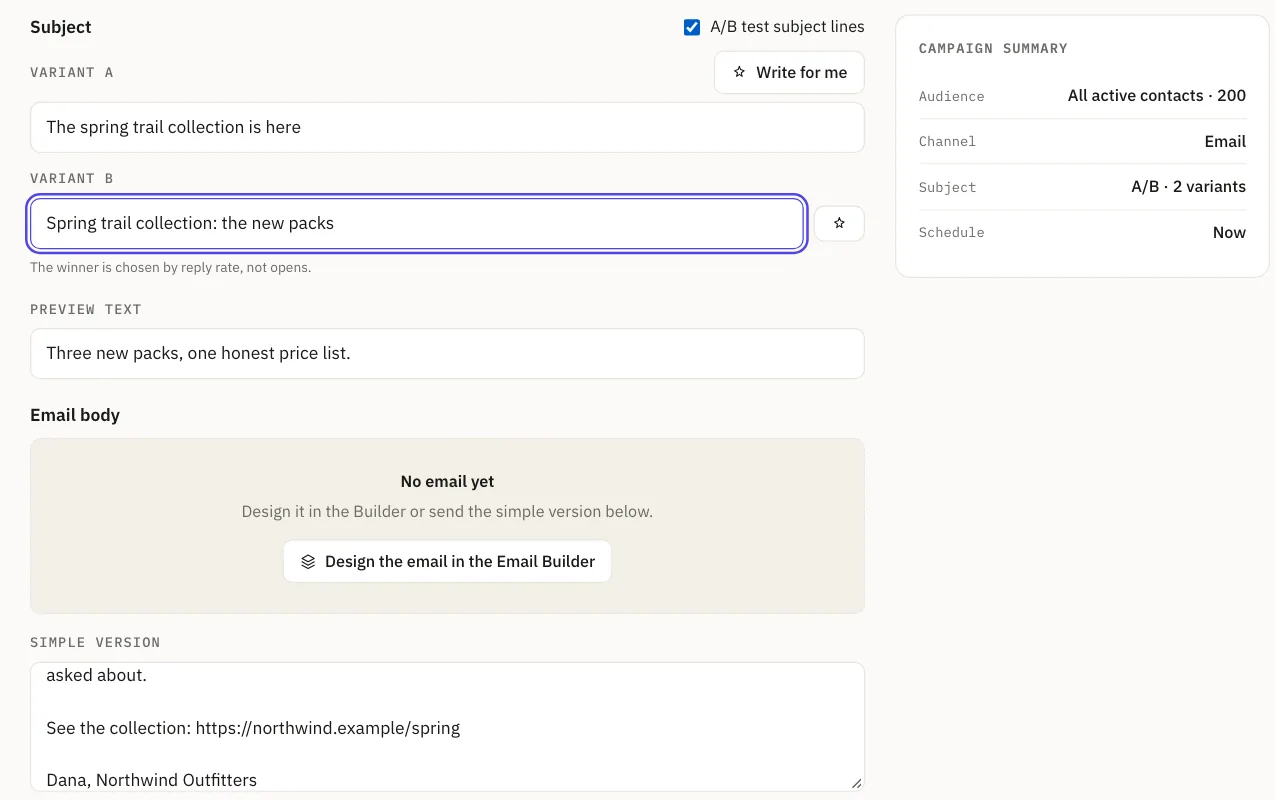
| Write the subject line | You, or Write for me |
| Draft the email | AI, from a sentence or two you write, in your active brand |
| Keep the voice consistent | AI, through the menu on each text block |
| Pick a subject winner | A count of replies, not AI |
| Check before sending | Rules and counts, not AI |
| Read each reply | AI reads it six ways, then a fixed formula ranks it |
| Draft the answer | AI, with blanks where it lacks a fact |
The split matters for return. The audience, the offer and the timing are yours, and they usually move results more than the wording does. AI makes the wording faster. It does not choose the offer.
What to expect on time
Once your sending domain is connected, your contacts are in and your brand is set up, a campaign takes about ten minutes from a blank page to sent. Most of that is reading and editing what AI drafted. The campaign in ten minutes guide walks through it. We have no customer benchmark to quote, so do your own comparison: time your next three campaigns from start to send, in whatever tool you use now and in this one.
What AI does not do for you
- It does not send for you. You review the campaign and press send, after the pre-send checks.
- It can be fluent and wrong. A voice rule controls how copy sounds, not whether it is true. Read every price, date and promise, especially after Lengthen, which adds words you did not write.
- It will not guess a fact in a reply. Where a draft needs an amount or a date, it leaves a marked blank, and the reply cannot be sent until a person fills it in. Risky replies stay drafts.
- It is metered. Each generation uses AI actions from your plan, a reply draft about two, and the editor tells you when the allowance is gone. If AI is unavailable you get a plain template and a label saying so.
Measure return in three numbers
Efficiency is what you saved. Return is what the email earned. Keep them apart, and do not add them into one impressive figure.
| Measure | Where it comes from |
|---|---|
| Minutes per campaign | Your own timing, before and after |
| Reply rate | The campaign report: replies within 30 days of the send, with out-of-office and similar replies left out |
| Revenue per email sent | The Engagement page, divided by emails sent. You do the division. |
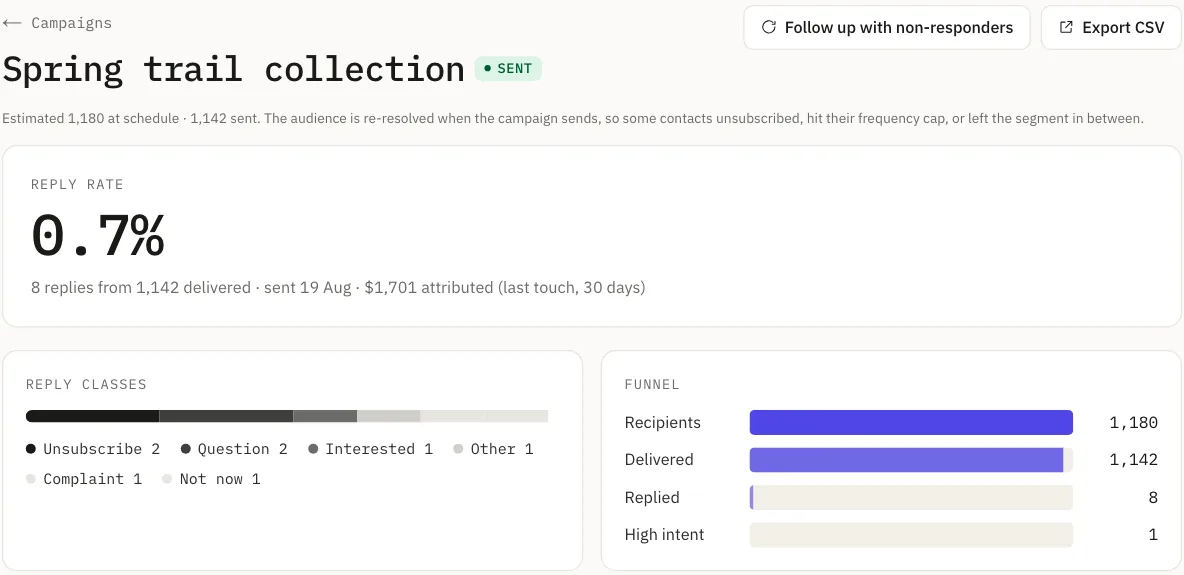
The revenue figure needs your help. Email Digit only knows about an order when your shop reports it through the conversions API, and each order is credited to the last email the buyer clicked in the 30 days before it, or failing that the last email sent to them in that window. Revenue is shown per currency and never merged. Last touch credits email even for a buyer who would have bought anyway, so treat it as an upper bound. If you can, hold back a small group from one campaign and compare.
On the cost side, count the plan price on the pricing page, which is set by emails sent and not by contacts, plus your own time at what it is worth. The AI allowance is part of the plan, so it adds no separate bill unless you go past it.
A fair test of whether AI paid
- Time three campaigns end to end before you switch, and three after.
- Record reply rate for each, and revenue once your orders are reported.
- Compare the time first. If it fell and the reply rate held, the AI paid in efficiency.
- Compare reply rate and revenue per email next. If those rose, credit the offer and audience as much as the wording.
To see how replies are read, ranked and drafted, read reply intelligence, or how drafts avoid invented facts.